
Press Kit
Everything you need to write about Emoji Countdown, in one place 🤗
At a glance
- Platform
- iPhone, iPad, Apple Watch
- Category
- Productivity
- Price
- Free, with an optional Pro subscription
- Launched
- 2020
- Lifetime downloads
- 157,000+
- Rating
- 4.6 from 3,500+ ratings
- Languages
- English
- Press contact
- [email protected]
In a nutshell 🥜
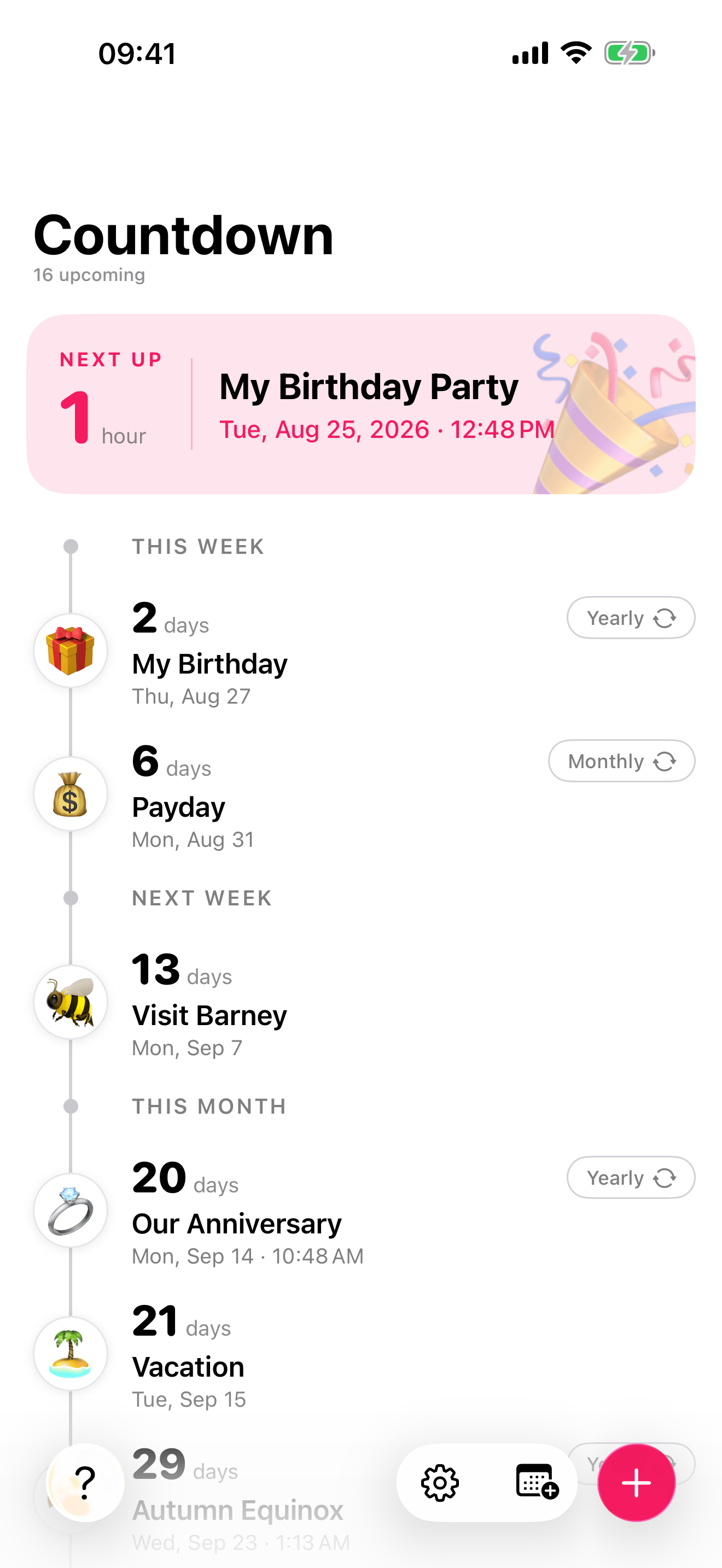
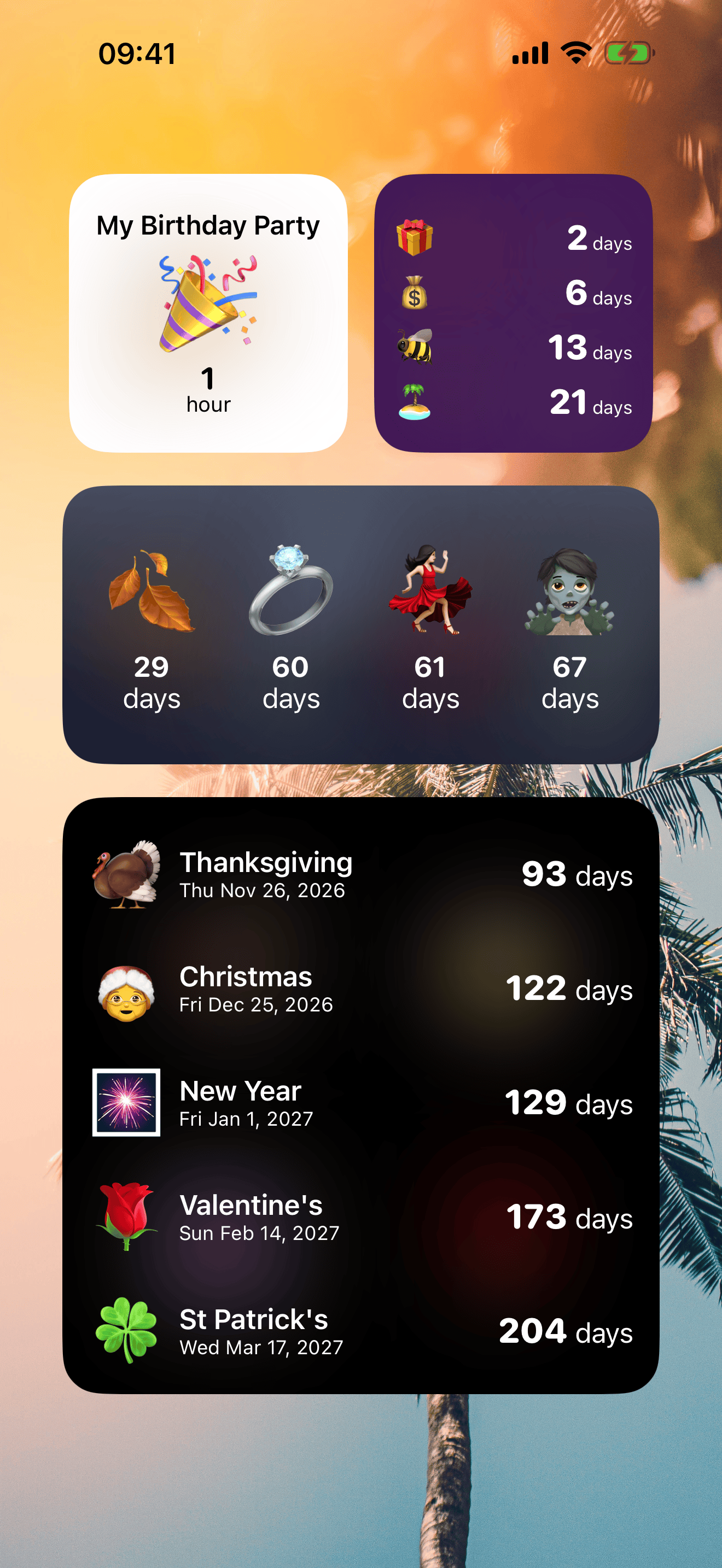
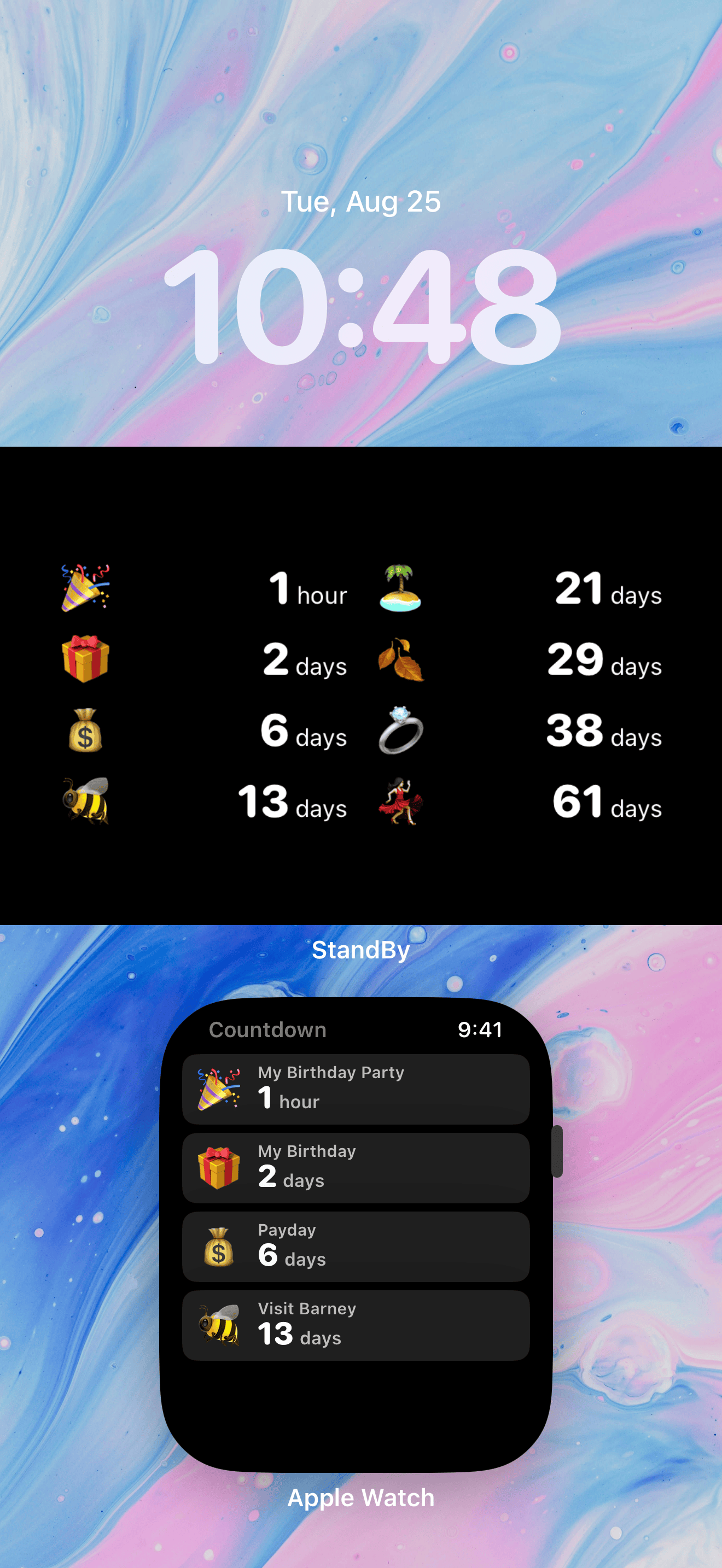
Emoji Countdown counts down to the days you are looking forward to, each one pinned to a favourite emoji 🎉. Pick a date, set an emoji, and the countdown lives on your Home Screen, Lock Screen, StandBy and Apple Watch, so the next big thing is always a glance away.
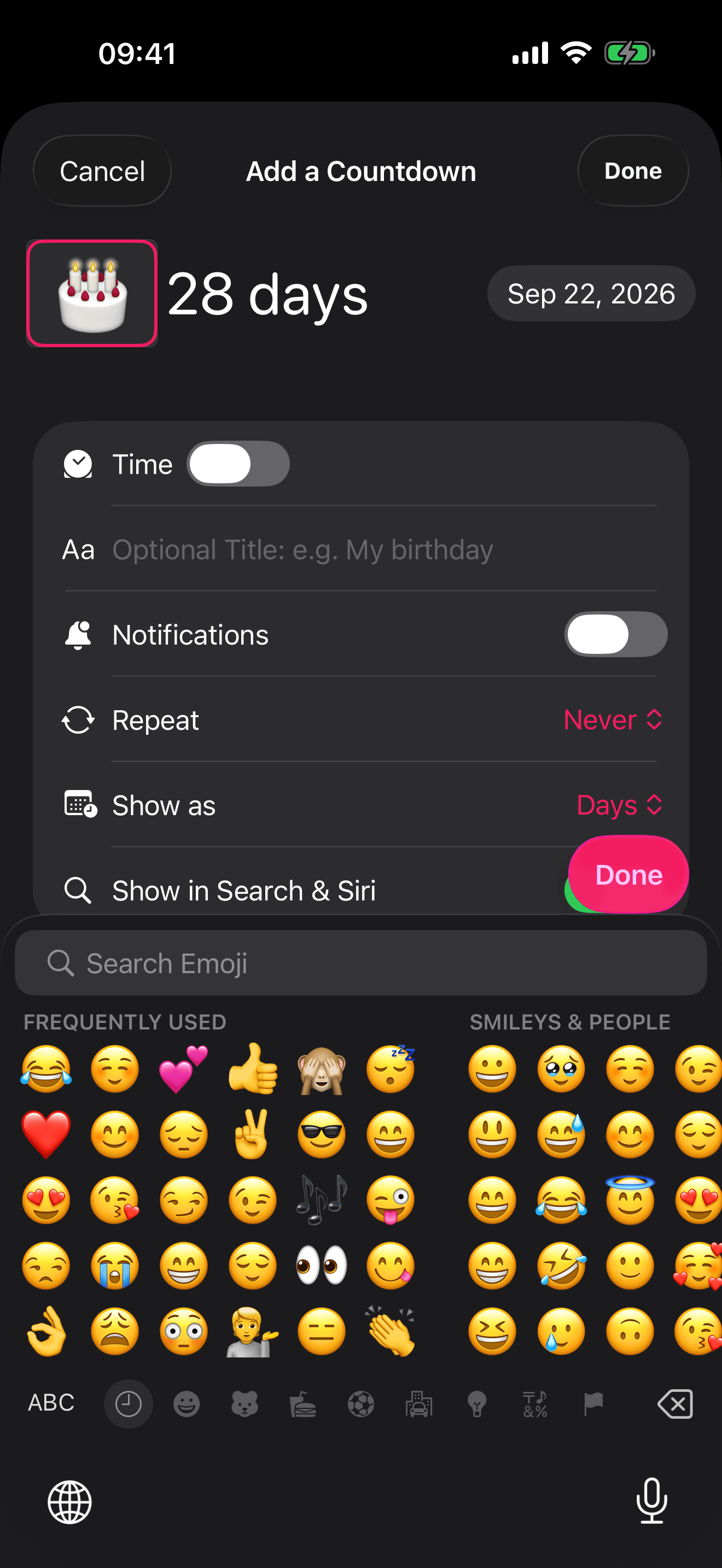
It has been on the App Store since 2020, has passed 150,000 downloads, and Apple has featured it several times. Birthdays 🎂, holidays 🎄, weddings 💍, trips ✈️, the last day of work 🏖️: no other countdown app lets you express every event with emoji, so every countdown looks like the moment it represents. The widgets are free, and your countdowns sync through your own iCloud.
Coming with iOS 27 ✨
Emoji Countdown is ready for iOS 27. Three things change: your calendar can suggest countdowns, you can talk to them, and you can watch them unfold across the screen. They all arrive in a free update alongside Apple’s iOS 27 release this autumn, and the new features work best with iOS 27. If you would like to try it before then join the beta or, get in touch and we will sort you out with anything you need.
Calendar and Apple Intelligence integration 🗓️
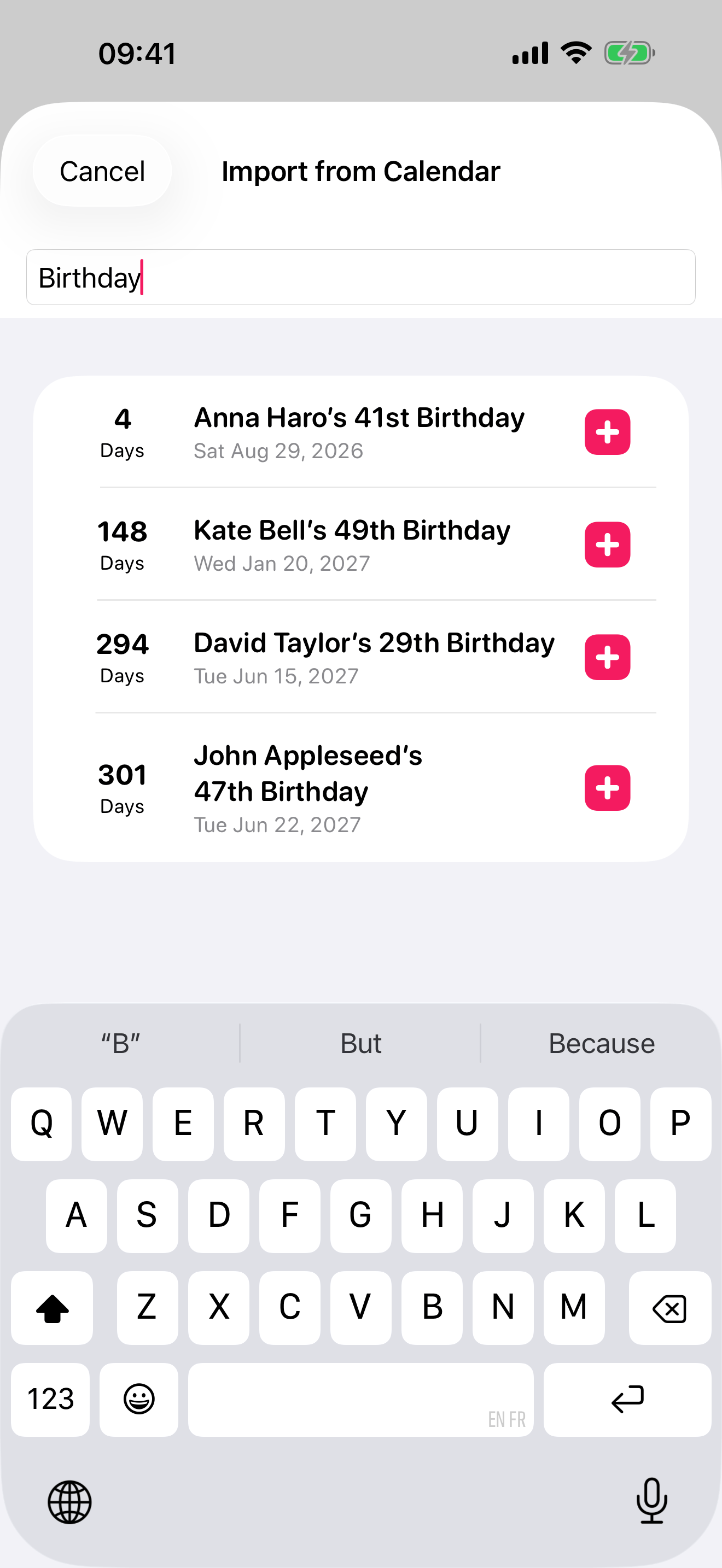
The Import from Calendar screen can now harness Apple Intelligence (Private Cloud Compute) to read the year ahead in your calendar and suggest some important events to add, each with an emoji chosen to match 🎈
Talk to your countdowns 🗣️
Handy for testing, or for reading out while you record a demo. All of it needs iOS 27.
Countdowns are calendar events as far as iOS 27 is concerned, so these need no app name at all:
- “Hey Siri, when is Dad’s birthday?”
- Siri answers with the time remaining.
- “Hey Siri, create an event called Dad’s Birthday on 25 December”
- A 🎉 countdown appears, without the app opening.
- “Hey Siri, move Dad’s Birthday to 26 December”
- The countdown moves.
- “Hey Siri, delete the Dad’s Birthday event”
- Gone, with no confirmation prompt needed.
- “Hey Siri, how many countdowns do I have?”
- Apple Intelligence works the answer out from the countdowns themselves.
- With a countdown open, “When is this?” or “Delete this one”
- Siri knows what is on screen, so you never have to name it.
- “Hey Siri, search for Christmas in Countdown”
- Opens the list filtered, and adds a Search in App row to Spotlight.
Name the app and Siri answers out loud, still without opening anything. Say “in Emoji Countdown”, though “Countdown with Emoji” and “ECD” work too.
- “Hey Siri, what’s my next countdown in Emoji Countdown”
- “5 Days until Dad’s Birthday.” Spoken without the app opening.
- “Hey Siri, how long until my countdown in Emoji Countdown”
- Siri asks which one, then answers: “12 Days until Holiday.”
- “Hey Siri, list all my countdowns in Emoji Countdown”
- “You have 6 upcoming countdowns.”
- “Hey Siri, add a countdown in Emoji Countdown”
- Siri asks for the emoji, then the date, then confirms.
- “Hey Siri, open a countdown in Emoji Countdown”
- Siri asks which one, then opens it.
Everything here is in Spotlight and Shortcuts too, so the untitled 🎂 countdown turns up when you search “birthday cake”, and countdowns can be created, moved or read out from the Action button, Control Centre, Back Tap or an automation, none of it behind the Pro subscription 🎁
Watch them unfold 🪄
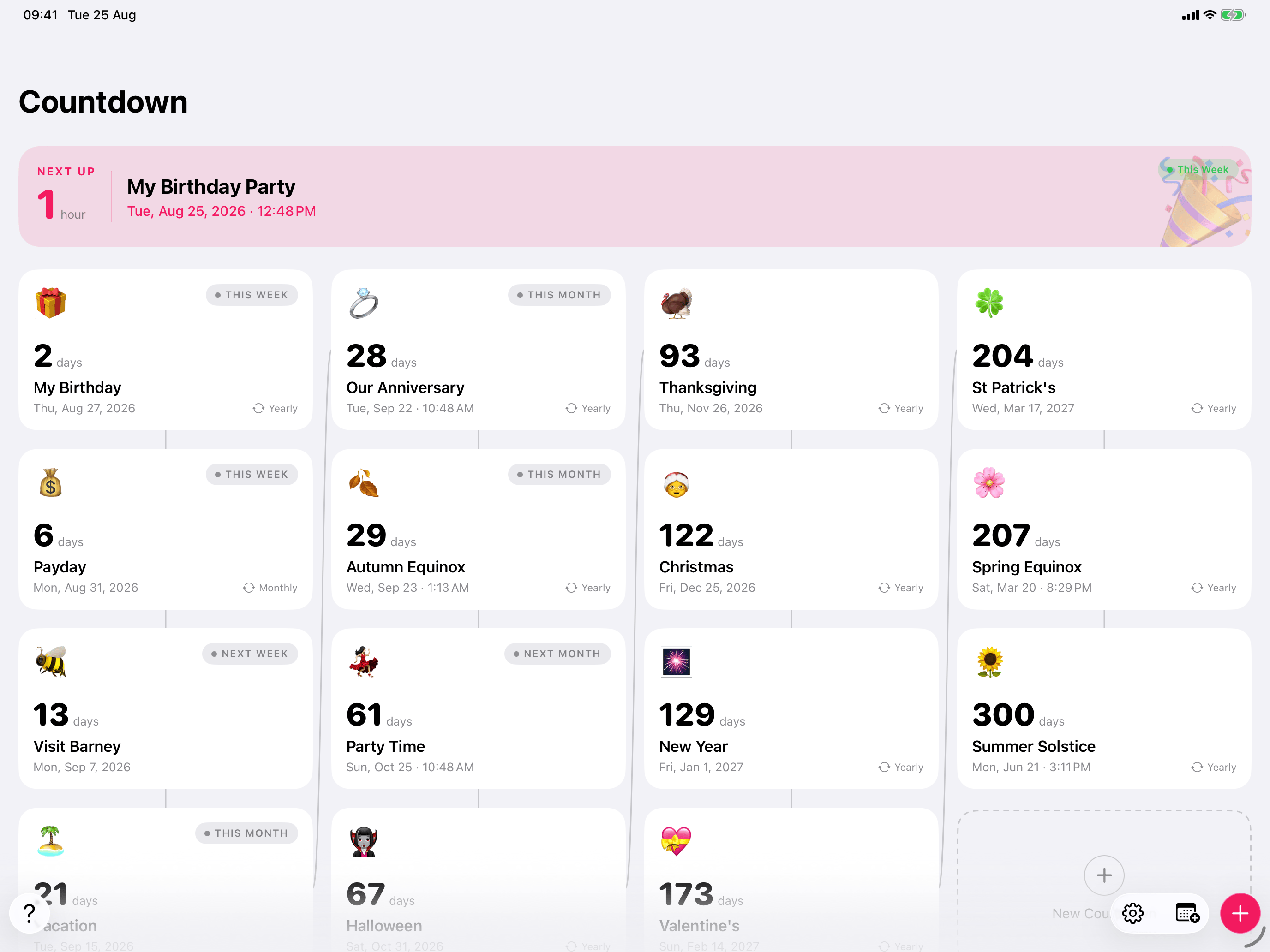
Drag the window from phone width out to a full iPad and the same countdowns unfold with it.
Why emoji 🤔
There are a lot of countdown apps. Here is why people pick this one.
Every countdown looks like its moment. A 🎂 for the birthday, a ✈️ for the trip, a 💍 for the wedding. You can tell them apart from across the room, and no other countdown app leads with emoji.
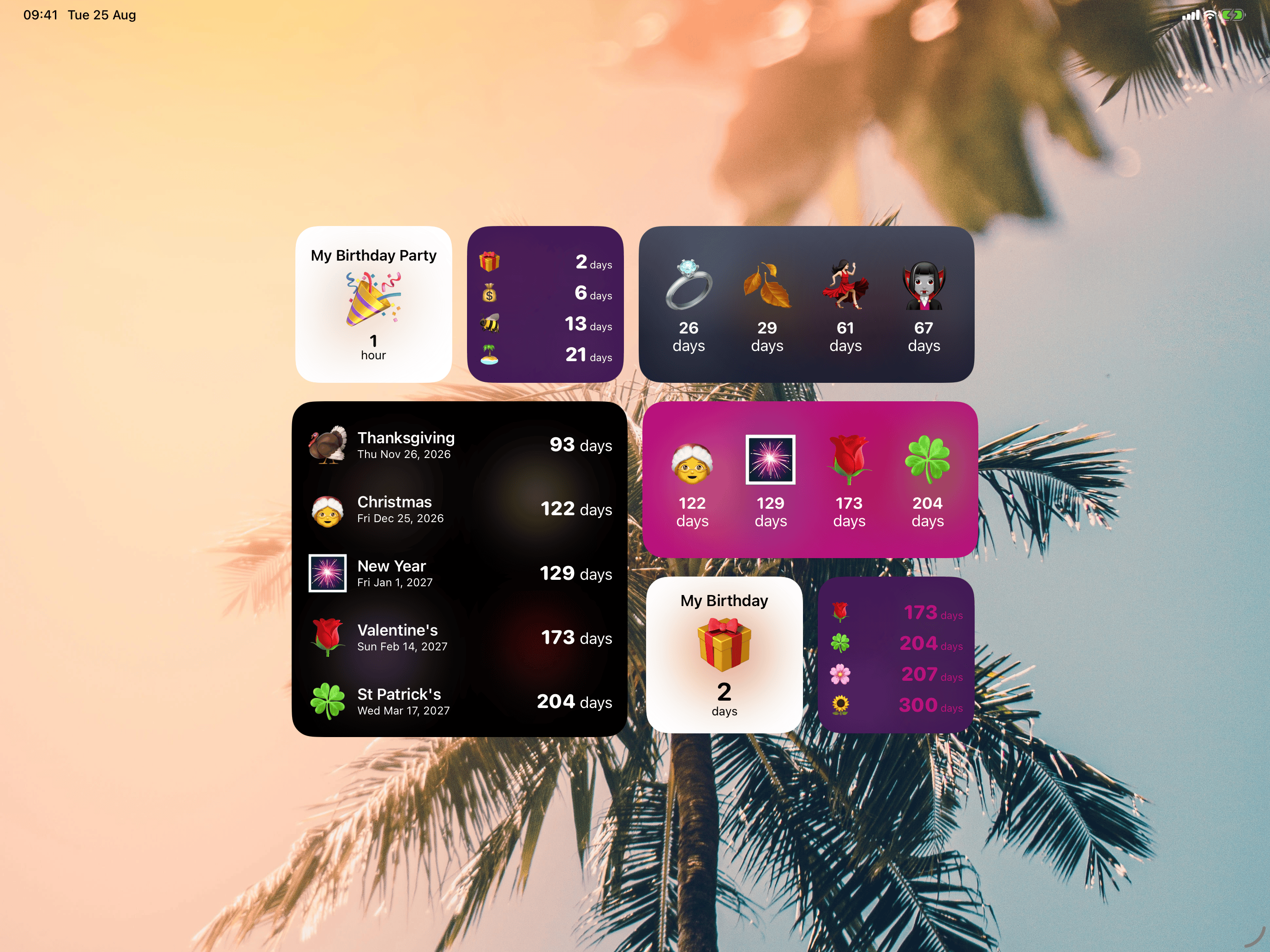
Free widgets. Home Screen, Lock Screen and StandBy widgets are included, with no subscription required. Plenty of competitors charge for theirs.
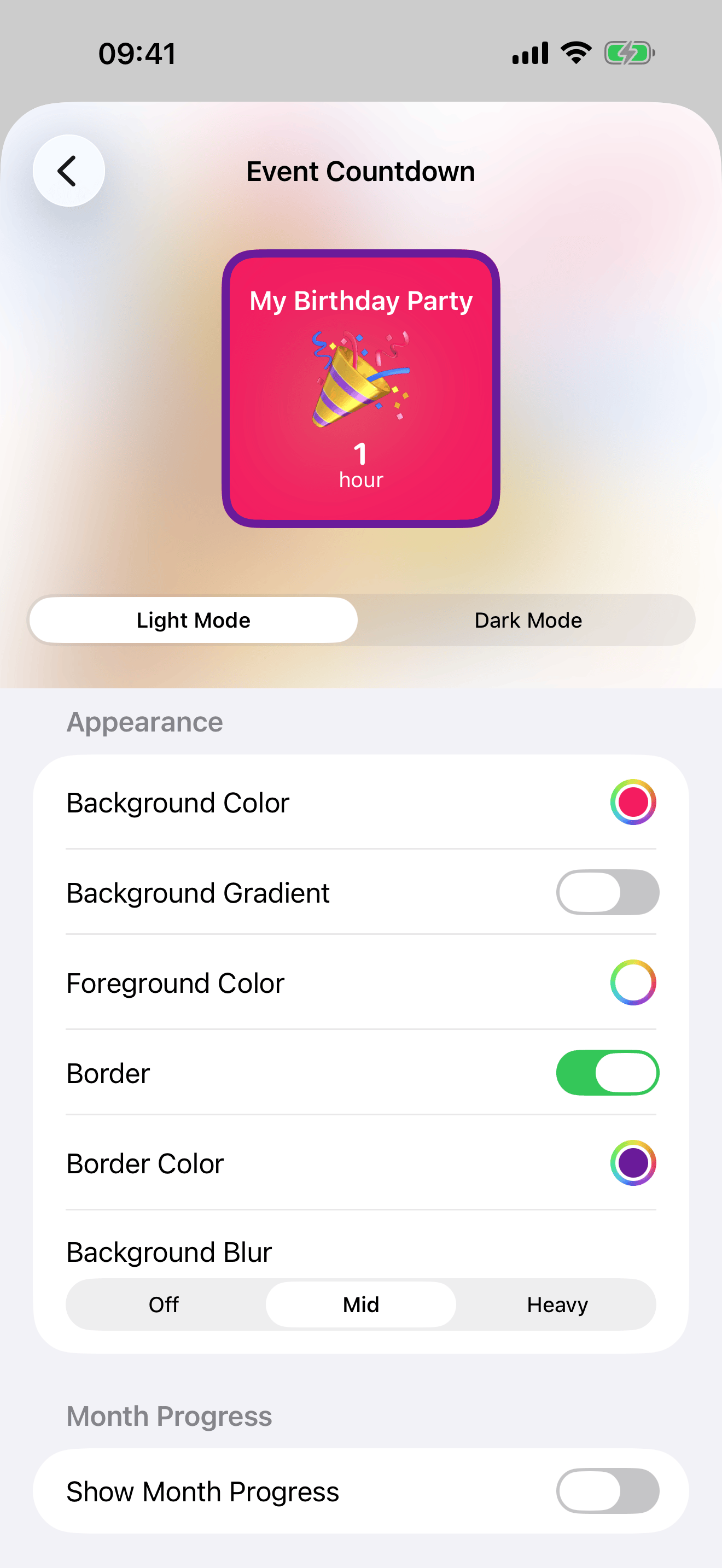
Make it yours. Any emoji, any colour, with gradients, blur effects, borders and themes for the widgets.
One tap from your calendar. Birthdays, holidays and deadlines come straight in from the iOS Calendar, so nothing needs typing twice.
Set it once. Birthdays and holidays repeat automatically, rolling over to next year the moment they pass.
On your wrist. A native Apple Watch app, with iCloud keeping iPhone, iPad and Watch in step.
Features 🤩
Free
- Home Screen, Lock Screen and StandBy widgets
- Any emoji for any countdown, so every event looks like the moment it represents
- Apple Watch app, so your countdowns are on your wrist too
- Siri, Spotlight and Shortcuts, with the iOS 27 calendar schema coming this autumn
- A month, quarter and year progress widget
- Dark Mode
- iCloud sync across iPhone, iPad and Apple Watch
Pro
- Widget customisation: colours, gradients, blur effects, borders and themes
- Calendar import: one tap pulls birthdays, holidays and deadlines straight from the iOS Calendar
- Repeating countdowns that roll over automatically each year
- Count down in days, weeks or months, or let Auto pick the friendliest unit as the big day gets closer
Privacy 🔐
There is no account, no sign up and no ads. Your countdowns live in your own iCloud, not on our servers, and we do not sell anything about you. Each countdown has a Show in Search & Siri switch, so anything you would rather keep off a shared device stays out of Spotlight, and Siri will not read it out.
Featured by Apple 🍎
Apple has featured Emoji Countdown on the App Store several times, including in 12 countries in 3 categories right now.
It is especially popular in Japan 🇯🇵, which is its biggest market by active users.
About Lewis 👨💻

Emoji Countdown is made by Lewis Smith, a full time indie developer based in the UK, who has been building iPhone apps since 2012. He went full time indie in 2017 and looks after development, design and marketing himself. Holly handles customer support, also from the UK.
Alongside Emoji Countdown, Lewis makes World Time Widget, a world clock for the people in your life, which launched with iOS 8, has passed a million downloads and has been featured by Apple several times, and Progress, a body measurement tracker that has been on the App Store since 2012.
You can find more at lewis42.me and on LinkedIn.
What people say
App Store reviews, free to quote. Names are the reviewer's App Store handle, as shown on the listing.
This is my favorite countdown app, after trying all the current options. I'm impressed and grateful this is free. My greatest wish is to be able to hide the menu bar so at least the menu bar would visually align with one of the events, so it doesn't distract as much.
The joy is great! I seriously love how I can customize widgets with the emoji of my choice. Counting down to big events is actually fun for me now.
I was using another countdown application before discovering this one. The first thing I happily noted was the way the developer counts the remaining days in the countdown. I also like the way I can quickly load an event into the event from my calendar, saving travel time.
Screenshots, icon and video
These are free to use in articles, reviews and roundups about Emoji Countdown. Tap any screenshot to download the full resolution PNG.
iPhone
 Download PNG, 1320 × 2868
 Download PNG, 1320 × 2868
 Download PNG, 1320 × 2868
 Download PNG, 1320 × 2868
 Download PNG, 1320 × 2868
 Download PNG, 1320 × 2868
iPad
 Download PNG, 2752 × 2064
 Download PNG, 2752 × 2064
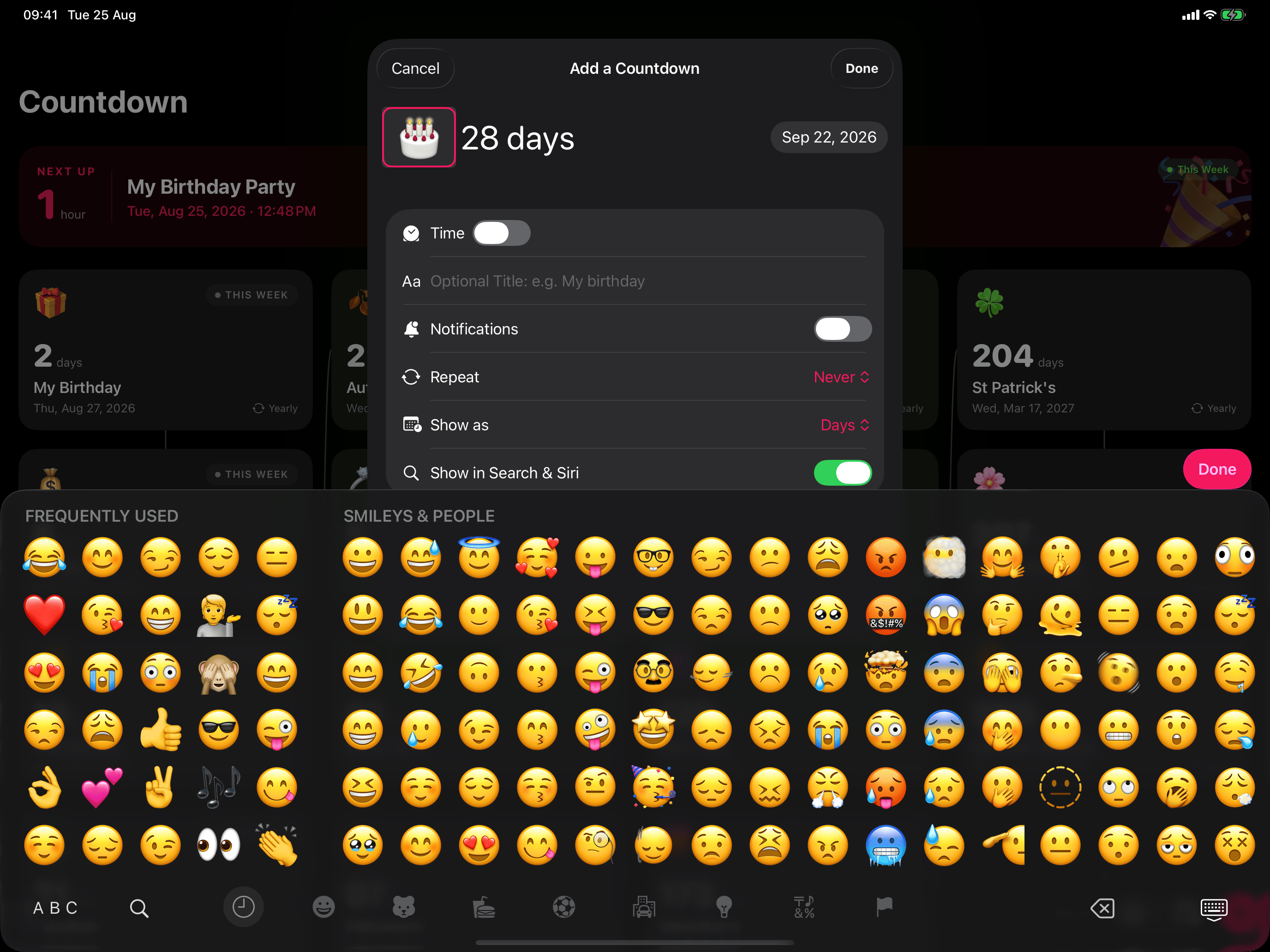 Download PNG, 2752 × 2064
Unfolding on iPad
MP4, 1030 × 918, 6 seconds, silent. The layout unfolding from the iPhone timeline to the iPad river as the window is resized.
Download videoAsking Siri for the next countdown
MP4, 590 × 1278, 20 seconds, silent. Siri answering with the next countdown without the app opening.
Download videoSiri reading the screen
MP4, 590 × 1278, 19 seconds, silent. Siri answering about a countdown on the screen behind it, without it being named.
Download videoCountdowns from the calendar
MP4, 1030 × 676, 15 seconds, silent. Apple Intelligence reading the calendar on iPad and offering countdowns to add, each with an emoji.
Download videoGet in touch
We're a small team, so your email reaches us directly. Whether you need a review copy, a quote, higher resolution assets or an answer to something that isn't on this page, we're happy to help 🤗